(
Loading visualLoading visualLoading visualLoading visualLoading visualLoading visualLoading visualLoading visualLoading visual
)
loading.

Unlock Unlimited Access

Sign in for free to copy all GSAP components, remix full templates, and save your favorites.

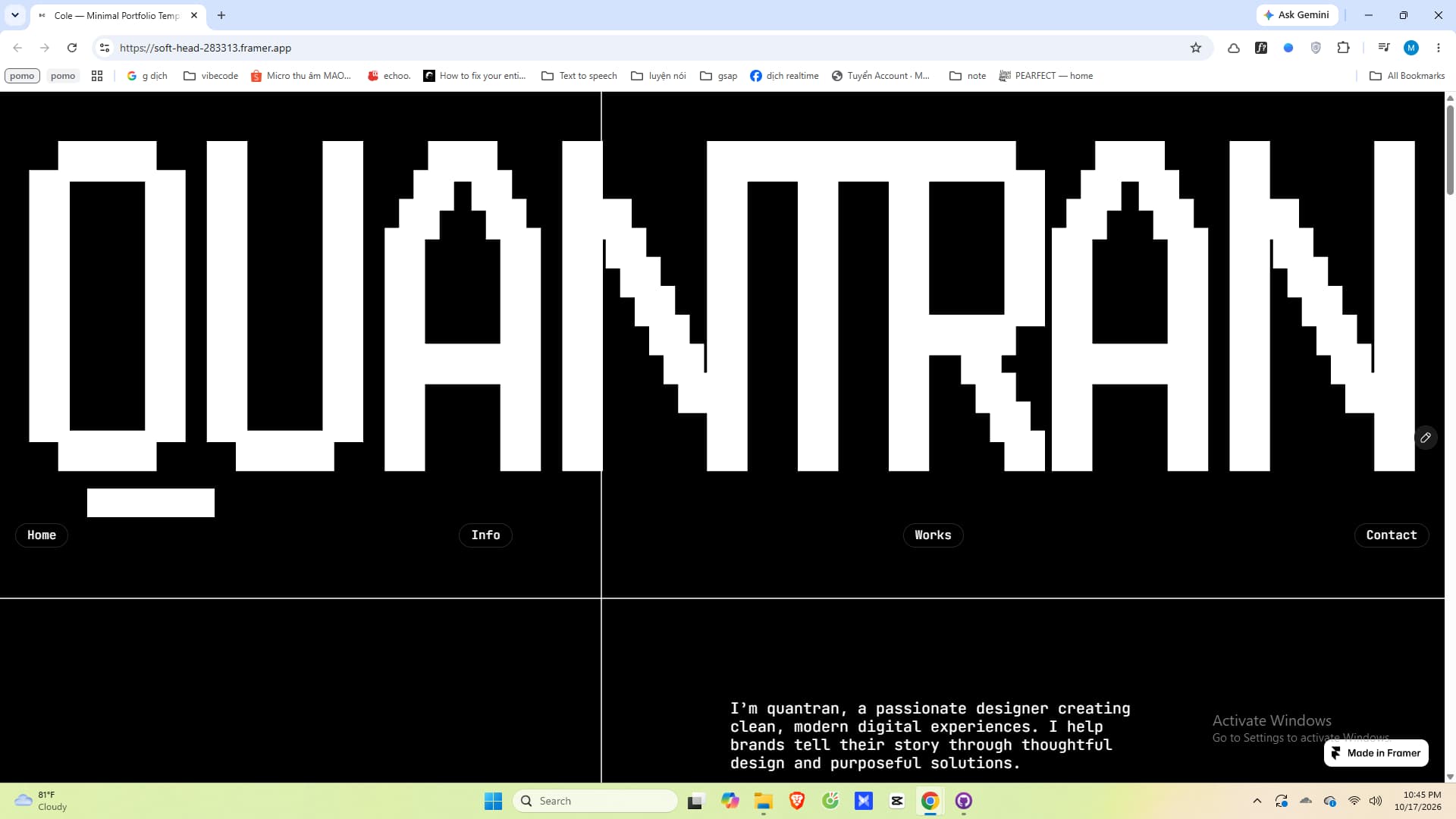
X-RAY Text

A high-contrast inverted typography component powered by zero-dependency CSS difference blend modes. As page content glides beneath, text dynamically calculates real-time chromatic inversion across light backgrounds, dark imagery, and multi-colored media. Features full React Portal hydration to cleanly bypass parent stacking contexts and prevent blending isolation. Engineered with native diagnostic monitors for layout traps, configurable semantic tags, and responsive viewport-pinned or sticky positioning.

X-RAY Text

A high-contrast inverted typography component powered by zero-dependency CSS difference blend modes. As page content glides beneath, text dynamically calculates real-time chromatic inversion across light backgrounds, dark imagery, and multi-colored media. Features full React Portal hydration to cleanly bypass parent stacking contexts and prevent blending isolation. Engineered with native diagnostic monitors for layout traps, configurable semantic tags, and responsive viewport-pinned or sticky positioning.
CategoryTypography
TagCSS, Typography, Inverted, X-Ray, BlendMode, Minimal
Guide: How to UseView Guide

API References

PropTypeDefault
textText content displayed with real-time chromatic inversion—
asSemantic HTML element tag (h1, h2, h3, h4, p, span, div)h1
modeLayout positioning: inline (flow), sticky (scroll), or fixed (pinned)inline
fontSizeFont size string or number (e.g., 3rem, 64px, clamp)inherit
fontWeightTypography font weight (100 – 900 or 'bold')900
letterSpacingLetter spacing CSS value (e.g., 0.05em)normal
lineHeightLine height value of the typography element1
textTransformCapitalization format: uppercase, capitalize, lowercase, or noneuppercase
textAlignText horizontal alignment: left, center, right, or justifyleft
top / left / right / bottomOffset positions when using sticky or fixed layout modetop: 1.5rem
usePortalMounts directly to document.body to bypass parent Stacking Context trapsfalse
pointerEventsPointer interaction behavior (none allows clicking elements underneath)none
zIndexStacking order layer priority of the inverted element9999

Related components